
San Francisco: OpenAI has officially launched ChatGPT Atlas, a new AI-driven browser designed to make web exploration smarter and more conversational. Positioned as a direct rival to Perplexity Comet, this innovative browser transforms how users interact with the internet by putting ChatGPT at the center of the browsing experience.
Unlike conventional browsers such as Google Chrome, Microsoft Edge, or Mozilla Firefox, which rely on tabs and search bars, ChatGPT Atlas enables users to ask questions, perform searches, and access bookmarks in natural language. The browser acts as both an assistant and a navigator, capable of browsing the web and summarizing information on your behalf.
Currently, ChatGPT Atlas is free to download for macOS users. However, OpenAI has restricted its advanced Agent Mode-which allows the AI to perform direct actions like adding reminders, ordering groceries, or completing forms-to ChatGPT Plus and Pro subscribers only.
What Makes ChatGPT Atlas Different?
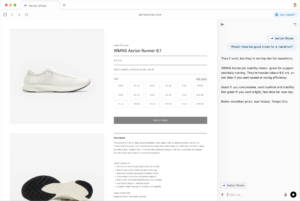
ChatGPT Atlas represents a major shift in how users interact with the web. Instead of typing URLs or keywords, users can converse naturally with the AI to get direct answers, access bookmarks, and even perform actions within websites.
| Feature | Description |
|---|---|
| Conversational Browsing | Ask ChatGPT to find information, summarize pages, or browse the web naturally using voice or text commands. |
| Bookmark Search | Find and reference saved sites using natural language prompts instead of manual navigation. |
| Agent Mode (Pro Feature) | Allows ChatGPT to perform browser actions like filling forms, shopping, and managing tasks automatically. |
| Cross-App Memory | Stores and recalls previous interactions, enabling personalized browsing and tailored recommendations. |
How to Download and Install ChatGPT Atlas for Free on macOS
If you’re a macOS user, installing ChatGPT Atlas is simple and takes only a few minutes. Follow these steps to get started:
- Open your preferred browser and go to chatgpt.com/atlas.
- Click the “Download for macOS” button on the page to get the installer.
- Move the downloaded file to your Applications folder since it’s not available on the Mac App Store.
- Launch ChatGPT Atlas, sign in to your OpenAI account, and optionally import data like passwords and history from your existing browser.
- When prompted, enable Browser Memories to let Atlas remember previous chats, documents, and browsing activity for more personalized responses.
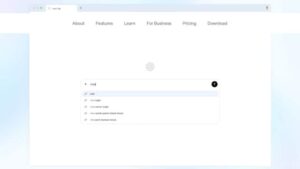
Bonus: OpenAI is currently offering free expanded usage limits for seven days if you set ChatGPT Atlas as your default browser.
OpenAI Joins the AI Browser Revolution
The launch of ChatGPT Atlas positions OpenAI as a serious contender in the rapidly evolving AI browser market. Tech giants are racing to integrate conversational AI into their platforms – Google and Microsoft are embedding chatbots into Chrome and Edge, while Mozilla has partnered with Perplexity to make its AI-powered search available in Firefox.
Meanwhile, Perplexity AI recently launched its own intelligent browser, Comet, available for free, further intensifying the competition in the space of AI-assisted web navigation.
Final Thoughts
ChatGPT Atlas is more than just a web browser-it’s a conversational AI platform designed to simplify how users interact with information online. With features like natural language search, memory-based context, and seamless integration with ChatGPT’s intelligence, Atlas is shaping the next generation of browsing experiences.
While Agent Mode remains exclusive to premium subscribers, the free version offers a powerful glimpse into the future of AI-driven browsing for macOS users. As OpenAI continues refining Atlas, it could redefine the line between browsing and intelligent assistance.
For breaking news and live news updates, like us on Facebook or follow us on Twitter and Instagram. Read more on Latest AI on gadgetspix.com.




COMMENTS 0